
Choosing the Right AI Dictation App for Mac: The True Differentiators
Hands-on notes on Superwhisper, Spokenly, and VoiceInk—plus a framework to sort through the rest. It’s less about models and more about workflow.
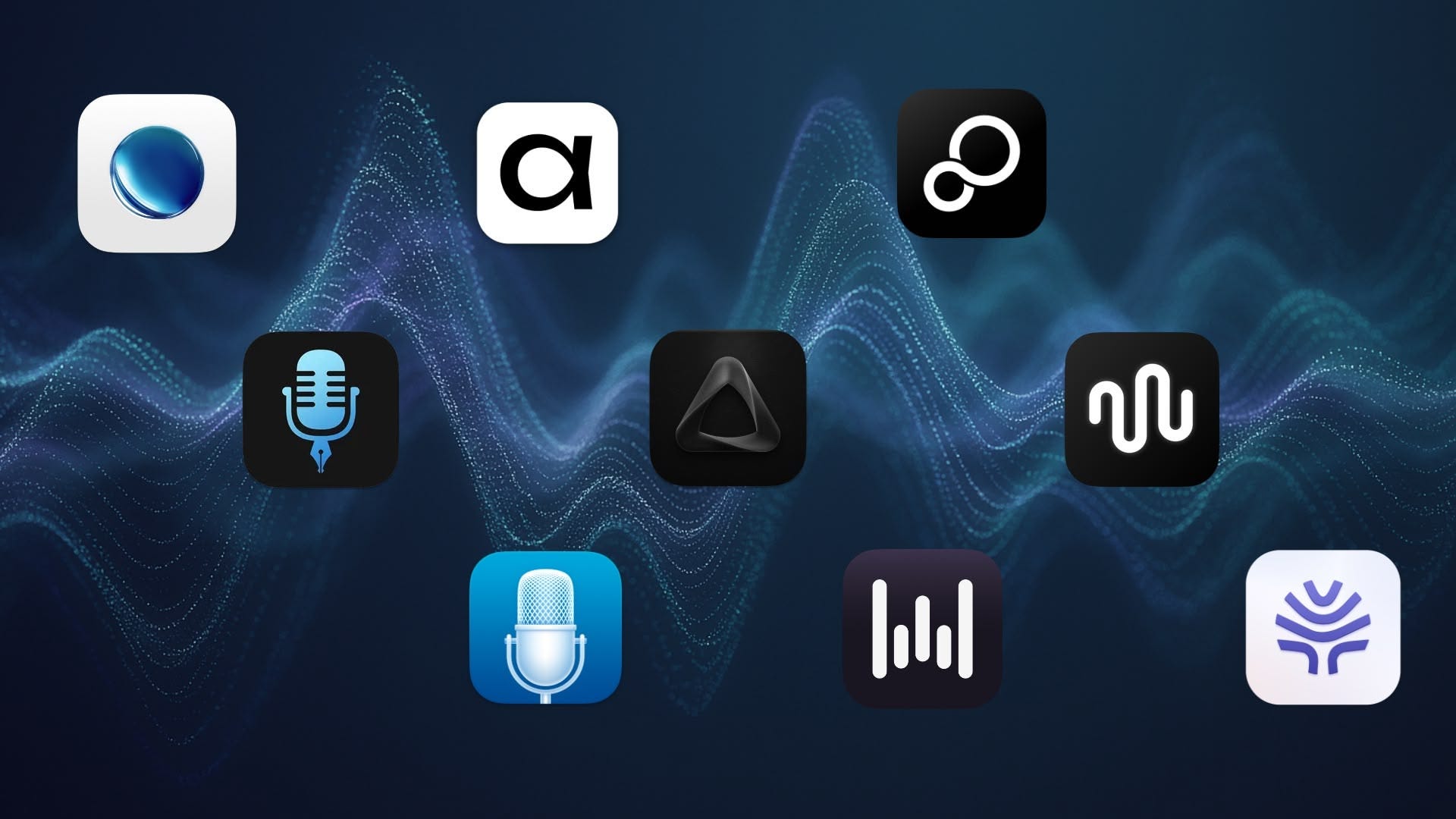
Hey everyone,
This week I’m sharing a raw look at how I’m pulling ideas together for a new Skillshare class and a YouTube video. The video will cover thoughts on current state of AI dictation and the main apps I’m testing. The class is separate—it’s focused on AI prompting for dictation and formatting. You’re getting the longer, first‑hand version here: notes, test results, and half‑baked thoughts that I’ll probably try to trim into something more practical for YouTube. If you like this format, tell me and I can consider doing more when planning future content.
UPDATE: The video is out!
A Year with AI Dictation
It’s crazy to think, but just a few days ago, I was looking through my journal and realized I bought Superwhisper a year ago. When I found it, I went straight for the lifetime option after testing for about 5 minutes. This past year has been pretty big in my exploration of voice-powered AI productivity tools, and I can track most of it back to when I got Superwhisper. It got to the point where I wrote most of its documentation, created an Alfred workflow to control it, created Macrowhisper to allow me do automations with it, and have made several videos about how I use it.
The thing is, along the way, I’ve seen a lot of changes, not just in the app itself, but in the whole AI dictation landscape. Stuff I didn’t even think about at that time when I made those first videos or started to incorporate this into so many parts of my daily workflow. So, I figured it was time to revisit this.
For most of the past year, I thought Superwhisper had no real competition. Its customization options and AI features seemed unbeatable. No other app offered what Superwhisper did at the time. You see, there’s two steps to the whole processing in these apps: transcribing your voice into text, and then taking that text and running it through AI for processing. While good transcription can often be done with local models these days, that best AI post-processing usually involves LLMs from big providers like OpenAI or Anthropic. In other words, AI processing from popular services costs ongoing money. Superwhisper’s lifetime option is expensive upfront, but then gives you unlimited access to that AI processing. That was very attractive because it meant I could experiment a lot without worrying about per-use costs. This, plus the flexibility of crafting complex AI requests with its context awareness features, all processed through an AI assistant prompt I could fully customize. No other app was letting me play around with that kind of power.
Actually, this is still the case. Stay with me and soon I’ll tell you why Superwhisper continues to be the top for me. However, my mind has changed. Other apps are quickly catching up, and in some areas, they’re even pulling ahead. The main things that used to set Superwhisper apart aren’t quite the same anymore, especially with AI getting smarter and cheaper.
What really matters now, in my opinion, comes down to a few things:
Workflow and customization:
How smoothly does your AI dictation app fit into how you work?
The app’s philosophy:
What’s its core purpose? Does it want to simplify or empower?
Customer support and communication:
Is the developer listening to users?
The truth is, there isn’t one perfect app for everyone. You need to find the one that fits your specific needs and workflow. Superwhisper still stands out in a lot of ways, but there are also some strong alternatives worth checking out. And if you’re already using Superwhisper, it might be a good time to look around and see if it’s still the best option for you.
Two Sides of the Coin: Philosophies in Design
Personally, I always wanted more than just a keyboard replacement. For some things I love typing out my thoughts, so I wasn’t looking for an app to take over that whole process. I was more interested in using AI assistant features with my voice, basically finding a way to fit speech into my existing workflows. Through that, I realized that talking out my thoughts helps me structure ideas differently than typing them. It’s like how typing or writing by hand has its own unique thinking process. There’s just something that happens when you speak freely, without constantly correcting yourself, and that, plus the flexibility of AI prompting, were a huge part of my excitement when I discovered Superwhisper.
It used to be that accuracy, speed, and privacy were the deciding factors for many. I think we’re close to hitting a plateau here, AI transcription is getting so good it’s almost trivial. We’re really close to a point where these models are just awesome at everything—super fast, highly accurate, and multilingual. Apple’s even bringing in a new speech engine that other apps can tap into, which should make things even better all around. On the privacy aspect, well, that’s getting better too, with most apps or cloud services providing clear terms of use or documentation where the lay out their compliance with data capture, etc. Local LLMs are also getting better fast and smart.
So, the first thing that really sets apps apart now isn’t the underlying tech, but the philosophy behind the app and what it’s trying to do for you.
From my perspective, this usually splits apps into two big categories:
The “Mystery Box” Apps: These are the ones that want to take over completely. These don’t just replace typing—they try to take the decision-making off your plate. They often try to be very simple, and “magical.” You just speak, and they figure out if you’re writing an email or a note, formatting everything just right out of the box. They might even have a few AI assistant tasks built in, or may leave room for simple personalized formatting instructions. Think apps like Wispr Flow, Willow, or Aqua. You usually don’t have to do much with settings or customization. The catch is they’re usually cloud-based and pretty secretive about how they work, what models they use, or what data is being captured. While privacy certifications are now common and these apps are generally protective of user data, it’s hard to know what’s going on behind the scenes. Everything’s a bit of a black box, but for some people, that seamless, minimal-fuss experience is perfect.
The “Transparent & Empowering” Apps: Then you have the other side, built for users who like to be in control. These apps are usually clear about the models and services they’re using, often leveraging open-source options. Most even let you plug in your own API keys for big services, and a lot of them offer local models, so your data stays on your device more. This not only means privacy is much cleaner, but here you are on the driver’s seat and you have more versatility on what you can do. Superwhisper, VoiceInk, and Spokenly fit into this group. You can make most of these work just as the apps from the other group, but you’ll need to tweak some things. You typically get many more options, custom settings, and a lot more transparency on what’s happening throughout the whole process.
This is important: I’m not against simplicity. Simple, effective design should be a goal, while matching the product’s core philosophy. For the apps in the first group this means limiting user input and options—that’s a valid choice for their audience. But apps in the second group prove that simple doesn’t have to mean stripping out power or customization. It’s about presenting features in a way that doesn’t overwhelm you: progressive introduction of options, clear defaults, and good guidance that helps you grow into the advanced stuff when you’re ready. That’s the difference with empowering apps: they keep the power, and they teach you how to use it.
Now, Superwhisper started firmly in the ‘Transparent & Empowering’ camp. But lately, the push for “simpler” has mostly meant moving things around, not giving users options or control, and that’s the part that’s been frustrating for me. It feels as if it’s nudging a bit towards the wrong direction, and that shift matters.
The Identity Crisis
Here are a few of my specific frustrations with Superwhisper:
Interface Design Changes: The settings panel used to be clearly organized, with separate tabs for AI models, vocabulary, and text replacements. Custom mode instructions were also hidden but clearly accessible in their own separate sub-panel. Now, it’s all been mashed together. Vocabulary and text replacements share one tab, and custom prompts are on the same page as mode selection.
If your system prompts are long, you’re scrolling forever just to be able to open a crowded sidebar where you can change AI or transcription models. Advanced per-mode settings are also a hassle to reach if you set prompt examples.These aren’t just minor tweaks; they feel like bad design decisions that favor users who don’t customize. This just makes changing advanced settings a total pain.Removed Features: The ability to capture application, selected text, or clipboard context when reprocessing dictations was quietly removed. I reported it as soon as I noticed, and the developer said it was never a feature in the first place. I relied on this on a daily basis, and losing it broke another big part of my workflow—it was a really useful way to save time when the app glitched and I needed to reprocess different pieces of text with the same instructions. It also was a great way to use “dictated templates” that I could apply to different content.
Focus-Breaking Notifications: Recently, a new notification pops up every single time you switch modes. For someone like me, who relies on focus, this is a major annoyance. I’m still hoping the developer reconsiders this, but there’s no way to disable it.
Lost Flexibility: The mini recording window, a key feature for using Superwhisper as an assistant and a differentiator over all its competitors, used to stay put until you explicitly hit escape. Now, it disappears if you click anywhere else. For me this destroys a critical aspect of its assistant capabilities. I can no longer copy/paste from the window whenever I need and keep loosing results accidentally.
All these issues feel like they’re part of a bigger pattern: time going into changes that do very little to improve existing features, while simple, user-facing options are missing more and more. There’s still no easy way to activate selected text as context when creating modes; users have to dig into the json app files to make that work, which they shouldn’t have to do. The issue with the mode notifications, the auto-closing of the recording window, and more… a lot of things could be advanced settings toggles, but no.
To me, it feels like the app’s having a bit of an identity crisis. It can’t quite balance real customization and power features with everyday simplicity. Lately it’s chasing a kind of “simple” that doesn’t fit where it started. It makes me worry the developer is trying to be everything to everyone and, in the process, giving up what made it great for the people who loved Superwhisper first.
Let’s Compare Pro Features: Superwhisper vs. VoiceInk vs. Spokenly
I’ve been exploring these current options, especially for advanced users who want to push AI and dictation beyond simple transcription.
BTW, I’m not the best person to ask specifics about Flow, Willow, or Aqua Voice. Their fundamental design philosophy and lack of options go against how I like to work. I prefer to have a lot of control over my workflows, not have the app dictate them. I also try to stay away from subscriptions as much as possible, and there’s no one-time purchase options with these.
So, let’s look at some things that matter to me in these “Transparent & Empowering” apps:
I. Context Awareness Features
This is crucial for expanding dictation into AI-assisted tasks, and Superwhisper still leads the pack.
Superwhisper: It has three parts: selected text (captured at dictation start), clipboard context (captured during dictation), and application context (captured after transcription). This means I can grab selected text from one app, copy something from another mid-dictation, and then send the content of a third app to AI in the processing step. App context includes all the text of your active input field, grabbed via accessibility APIs—even scrolled text beyond what’s visible to you. This allows for very complex and precise AI requests.
Spokenly: Very limited, it simply sends a screenshot to the AI. This is probably due to it being in the App Store (more on this later).
VoiceInk: It takes a screenshot and then uses OCR to detect text, which is better than nothing but still very limiting compared to Superwhisper’s full text access. It can grab selected text when using the built-in AI assistant prompt, but this doesn’t let you do a lot because of the limitations on prompting.
II. Prompting Flexibility
Superwhisper: Still offers a lot of flexibility for custom modes, especially on macOS (the iOS version is more locked down). A while back I actually lobbied the developer to keep this open, as it was nearly limited to just text formatting.
VoiceInk: This is a big limitation. Its custom AI prompting is actually just for text reformatting. You only get one dedicated AI assistant prompt, which restricts you if you want to create multiple assistant-like functions (like writing emails following a specific set of guidelines, or generating content based on your dictation).
Spokenly: This is one is exciting! You can fully customize the system prompt, giving you a lot of control. However, its limited context awareness means you can’t take advantage of that custom prompting as effectively as in Superwhisper for complex, context-rich tasks. I expect this to improve.
III. Modes Implementation & Switching Between AI Prompts
Superwhisper: In my opinion, still the strongest here. Modes are persistent, with distinct settings, and you can use deep links for automation (mimicking Spokenly’s behavior). You switch modes, and it stays that way until you change it to something else. You can also assign auto-switching rules to websites or apps (like VoiceInk). Superwhisper’s data handling and deep links implementation made it easy for me to create its Alfred workflow, which offers yet another option for mode switching. Superwhisper’s mode implementation makes it incredibly easy to reprocess previous dictations: it’s easy to create an automation to reprocess your last dictation with your active mode via a keyboard shortcut. You could even create different automations/shortcuts to reprocess the same dictation with different modes. There’s no limit to how many modes you can create—I’ve had 21 at once and had zero trouble jumping between them via deep links or with the Alfred workflow.
Spokenly: You can use keyboard shortcuts to directly start dictating with different AI enhancements. The big plus here is its advanced settings per custom AI enhancement (more settings than Superwhisper, actually), but Spokenly lacks deep links. The AI enhancements are not persistent, which means they don’t work as “modes” that define the behavior of the app across multiple dictation sessions. Basically, every new dictation means you have to decide which keyboard shortcut to press. At this time, it is not possible to reprocess previous dictations with a specific AI Enhancement prompt.
VoiceInk: Powerful, but it takes some getting used to. You can’t start dictating straight into a specific mode via a shortcut or deep link. Instead, you begin a recording and let “power modes” auto-switch based on the front app or current website. You can change enhancements (the AI prompt) or full power modes (prompt plus settings) with CMD/OPT + number, but only after you’ve started dictating. Switching via numbers means you are limited to 10 options (you can use `0`). There’s also a voice trigger and a dictated‑keyword system to pick an enhancement—which is something the other two don’t really offer—but to me (someone with a LOT of custom prompts) can easily start to feel like memorizing secret codes. The terminology adds a bit of friction too—“AI enhancements” and “power modes” overlap enough that they feel like one feature split in two. I’d rather see them combined. Overall, some of the extra options add steps instead of clarity. A big pro is that can mimic Superwhisper’s behavior with persisting power modes across dictation sessions if none is set as default. You can also reprocess from history, but the process is not the most straightforward if you need a specific AI enhancement.
Quick note on modes implementation: I’m very used to how Superwhisper handles modes, and it’s a big deal for me. In Superwhisper, dictation is a two-step process: you pick a mode, then dictate—and the mode persists across sessions. I can switch mode once (via shortcut/deep link), then use the same “start dictation” key and trust it’ll run through the active mode until I change it again. That cuts a lot of friction compared to apps where you pick an enhancement every single time.
With VoiceInk, you can get very close by not setting a default power mode, but there are still hurdles. You’re limited to ten shortcut options, or you rely on dictated keywords or auto‑switching—none of which feel great when you switch modes often. More importantly, recording and mode switching are tied together. If you want to reprocess a past dictation with a specific prompt, you have to start a recording, switch to the mode you want, cancel the recording, then go to history and reprocess. It works, but it’s clunky. I expect this to improve, ideally by letting you pick enhancements directly right before reprocessing. However, because prompting and context are more limited in VoiceInk, you’re mostly switching between formatting prompts anyway.
In Superwhisper the moment I switch mindset or plan to start dictating in a different format, my fingers immediately switch modes with zero friction due to muscle memory. No need to start recording right away. It’s like mode switching happens together with the creative side of my brain, and it prepares me to jump-in into action anytime. In VoiceInk, I believe a big change would be needed to separate the switching process from the recording process. This is the difference: Superwhisper lets me think about content, not controls. You won’t know how good this is until you try it for some time, but it’s a brilliant way to stay in flow.
Another note for mouse-first users: I didn’t find it relevant to mention this here since the three apps are about on par. In all of them, you can start dictating and switch modes with your mouse. Handy, I guess, but as a keyboard-first user I rarely ever use this.
IV. Data Handling & Automation Possibilities
Superwhisper: Very transparent and with lots of possibilities. It stores all your recordings, custom modes, and dictation results (including raw transcription, AI processing, and captured context) in a local folder as JSON files. This is what Macrowhisper, my automation helper, relies on. The one thing it doesn’t show to the users is system prompts, or the raw requests (which means most users don’t know about the max_tokens setting for Claude).
Spokenly: I was excited to find that Spokenly also saves user history in similar meta JSON files. This means there’s automation potential here, and perhaps I could adapt Macrowhisper to work with it. Still need to explore more.
VoiceInk: It seems the processed data isn’t exposed outside of the app, making automation much harder. By the way, to figure out how VoiceInk (or all the other apps I’m covering) sends raw requests to AI, I’ve had to use tools like Proxyman to analyze API calls.
V. Other Features
Dictionaries/Vocabulary: This feature affects the quality of the results, especially when used with special names or words. Spokenly’s implementation isn’t quite there yet, but should improve any second now. Both Superwhisper and VoiceInk let you use replacements and can pass vocabulary to the Whisper models.
System Audio/Speaker Separation: Most of the apps I’ve covered so far are still pretty limited for meetings. Superwhisper can record from system audio and do speaker separation with Nova models, but it’s implementation could be much better. You can’t process speaker-separated transcripts through AI within the app in one go, which is a bit of a bummer (If you’re interested in how to work around this with Superwhisper, I wrote this guide).
Advanced Settings: This is a win for Spokenly! It offers truly advanced user settings like temperature, reasoning effort for AI models that support it, and more granular options per mode for only saving to history or pasting results—things users have been asking for in Superwhisper for ages. This is a clear contrast to the “simplification” obsession I see in Superwhisper’s developer and the confusing/unintuitive advanced options in VoiceInk. While Spokenly’s history reprocessing for AI is currently limited, I’m optimistic about its future.
Custom Speech‑to‑Text APIs: As mentioned before we’re close to the point where most speech models are great at everything—but we’re not quite there yet. For some, choice still matters. Some users need a specific language variant that one service nails, already pay for a transcription API they like, or have privacy requirements that rule out certain providers. That’s where custom STT support shines. VoiceInk and Spokenly both not only let you pick from a wide range of built‑in transcription providers but users can also plug in any OpenAI‑compatible STT endpoint. Superwhisper, surprisingly, lags here.
Development Philosophy & Responsiveness
This is probably one of the most critical factors right now.
Superwhisper: Unfortunately it feels like it’s shifting from exploring AI possibilities and trying experimental features to chasing a simpler‑use crowd. It grew from a one‑dev project to a small team, and now it seems the app tries to please everyone instead of leaning into what some of the original users loved. As a beta tester, I’ve flagged a lot and have always expressed my thoughts on unnecessary UI changes, but only the biggest, widely reported bugs seem to get attention. Meanwhile, small changes pile up: design tweaks break working workflows, new behaviors can’t be disabled, and core pieces move or disappear with no opt‑out. I fear it may become more generic as time goes by. If you hit a bug, you’re mostly on your own unless many users are experiencing the same. Responsiveness and support could really be improved a lot. Ok, here’s the harsh truth: Superwhisper scores at the lowest in terms of responsiveness. Some other things don’t help: there’s a Windows beta build that still needs to catch up to the Mac app, plus the iOS version—where I’ve lost more recordings than I can remember. In short: support’s often slow, and thoughtful feedback from the community (mine included) keeps getting brushed aside.
Spokenly: Here’s a breath of fresh air. I recently joined their Discord, suggested something, and the developer responded immediately, saying, “That’s coming in the next version.” I suggested yet another feature and I can see it’s already up for review in the App Store. It makes you feel heard, and it’s obvious other users feel the same way. This developer isn’t afraid of advanced features and is rapidly pushing updates, especially on the iPhone version, which has become incredibly solid. I think it’s the top app when it comes to dictation on iOS and it’s almost unbelievable that one developer is achieving such impressive results, especially considering it’s essentially free if you use your own API tokens.
VoiceInk: Developer is responsive. With VoiceInk, its open-source nature is a genius move and probably its biggest strength. It has so much potential. Being open source means that if you have a bit of technical willingness, you can use it for free by building it yourself. Community contributions means a faster pace of development and quick bug fixes. More importantly, for a power user, it offers ultimate long-term viability and control. If Superwhisper were to truly go sideways, I know I could invest the time to customize VoiceInk exactly to my needs, creating an alternative that I have complete control over. I’m no developer and I’m not looking forward to invest time using AI to help me with these modifications. But still, this gives me a lot of peace of mind.
The “Free” Aspect of Spokenly and VoiceInk
When I mention Spokenly is ‘free’ or that you can use VoiceInk without direct cost, there’s a nuance. For Spokenly, as long as you’re using local models for transcription or your own API keys for online services, the developer doesn’t incur recurring costs, so he doesn’t charge you. This is a very humble and honest approach to development. You just manage your own API costs. Now VoiceInk, being open source, means you can compile it yourself without paying for the app itself. In both cases, you’re responsible for the cost of the AI services you use through your API keys, but you can get the app itself without a direct purchase, making them incredibly attractive options. If I ever end up using any of these as my go-to, I’ll either buy the app or look for a way to donate to support its development—I’d suggest you do the same.
Recommendations: Finding Your Perfect AI Dictation App
Ultimately, there’s no one-size-fits-all answer. You’ll have to experiment a bit. Here’s some personal recommendations:
Just want something simple? (And don’t mind less control)
Wispr Flow.
Be cautious with this app—there’s several serious complaints on Reddit. While Superwhisper’s support needs a lot of attention and its communication with users is far from ideal, major issues do get addressed. I’d say this app has had a bit of a bumpy journey, but recently they’ve made moves towards more transparency in their privacy policies and are working to improve support. I’ll give them the benefit of the doubt and suggest you give it a shot if you’re interested. It’s still one of the most popular options.On Mac, for simple use: Alter is a great option. It’s an AI assistant app that has a solid dictation feature. With their Local+ $29/year pack, you get fast transcription with “quick cleanup” (filler word removal, line breaks, vocabulary). They offer student discounts and you can get 10% off with the code “AFT”. I mentioned I stay from subscriptions, so I got their lifetime option. It seems expensive, but in terms of value I think it’s one of the best app purchases I’ve made in the last year. Some users probably already have an AI assistant they like, but Alter’s dictation feature is still a very solid, no-setup choice that deserves a place in this list.
Pure dictation with minimal setup: Willow or Aqua seem like the top options here. I haven’t tested them in depth, but they look solid. They come with a higher subscription cost, but if all you want is to replace typing with voice at the highest quality without messing around, they’re designed for that.
Open Source: I’m keeping an eye on Ito.ai. It’s early days, so we’ll see how it develops, but being open source brings the usual benefits around transparency, community input, and aligning with more ethical AI practices.
Ready to put in a little effort? (And bring your own API keys)
Spokenly is my top recommendation here. It’s very flexible, powerful, and essentially free if you use your own API keys. The setup doesn’t have to be overwhelming—you can start with default formatting and setup your own API tokens. You have access to some useful advanced settings too, if you’re into that. I think that even if you opt for their subscription, it’s a great option for users looking for good transcription with power user potential. If this app could implement app context correctly, it could be a pretty big deal. Unfortunately, at the time being, the Mac version of the app is the App Store. This means that it's sandboxed and cannot tap into accessibility APIs like all the other apps I have explored here. To truly reach its full potential, I think the app has to move out of the App Store. Not sure if we’ll ever see that, but if happened, it would easily move to the next category.
For the true power users (who love to customize)
Superwhisper continues to holds the lead on Mac, thanks to its mode implementation, context awareness, and AI post-processing capabilities as explained above. My automation app Macrowhisper adds another layer of power that I haven’t found in any other dictation app. However, with all the other aspect I’ve discussed, I’m not sure for how long can this go on. For iOS, I’d already pick Spokenly over Superwhisper today. With Superwhisper, it seems like the workload has outpaced the team’s capacity, and that shows up as slow responsiveness and scattered focus. My hope is that the developer will listen to feedback and implement changes that don’t force users into new workflows without providing options to stick with the old ones. The reluctance to add well‑designed settings, more custom options, and new requested features doesn’t make sense given the audience. I’m not seeking to make the app a toggleboard or power-user only, but there are ways to organize settings while still keeping a good balance without making it confusing or overwhelming. It used to be like that just a few months back, actually.
VoiceInk belongs in this tier, even if it wouldn’t be my first pick today. Some of its workflow choices feel a bit more fussy than I’d like, and some features I find important still feel half-baked. That said, if you’re comfortable tinkering, and especially if you know your way with coding, you probably can shape it into exactly what you need.
For Meetings & Speaker Separation:
I’d suggest avoiding these general dictation apps for this specific use case, as none of them are truly solid enough. If you’re doing important meetings, my suggestion is to record the audio separately (e.g., with Audio Hijack).
Instead, look at tools like MacWhisper or Alter. Alter is focusing on its meeting capabilities and allows in-app transcription and AI processing in a very low-friction way. MacWhisper is an all-in-one for transcription needs with solid speaker separation too, though its live dictation feature is more basic.
The Heart of the Matter
Thanks for sticking with me. Just in case you haven’t noticed, I’m biased—I’ve built a lot of my workflow around Superwhisper, and some of the recent changes have been very frustrating. It truly is unfortunate what I feel is happening to the app. But that’s exactly why I wanted to write this: to lay out what I’ve seen after a lot of heavy use, a lot of testing, and plenty of exploration with some alternatives as well. I want to help users who are in the same boat, or those who are just getting started in this exciting journey of AI-powered voice dictation.
Now, It’s clear that AI dictation isn’t just about the models anymore, this is about workflow, philosophy, and the people behind the product. Some developers prioritize a smooth, low‑friction experience at the cost of control. Others invite you under the hood and hand you the keys, encouraging you to explore, personalize, and even take the tool further than its original design. I’m drawn to that second kind, but either path can be great. The key is noticing the difference and choosing the one that fits how you like to work—and whose vision you want to grow with.
At the pace things are moving, the gap is closing fast. I expect Spokenly and VoiceInk (plus whatever new apps sprint onto the scene) to match not only most of what Superwhisper can do, but also how it does it, or get close enough that the real differences shift even farther away from workflow: UI decisions, how quickly issues get fixed, communication, and who ships useful, experimental ideas without breaking power workflows. Superwhisper was a pioneer and set a new standard. It just doesn’t feel like it’s pushing in the same way right now, and Spokenly and VoiceInk seem hungry to iterate.
If there’s a single takeaway, it’s this: stay curious. Try things. Swap defaults. Stack tiny tweaks. Don’t wait for a perfect setup. Most of my most-used workflows started as experiments that didn’t look special at first.
By the way, I’m not a technical expert. Everything that I have written here has been based on experience, what I have noticed, and personal opinion, but if I got something wrong, I apologize in advance! Some of these apps are changing fast (not always for the best), so treat this article like a snapshot.
If you want to keep going, join the communities around these tools, share your setups, and steal good ideas. And if you find a better way to do any of this, I want to hear about it. My hope is that all of this helps you use your voice where it actually moves your creativity and productivity forward—and lets you put your attention on what matters.
If you find this useful, I would be incredibly grateful if you could support me by buying me a coffee at THIS LINK. Your generosity would mean the world to me.

If you liked this you may also enjoy some content I have up on my YT Channel! I don’t hang around social media a lot, but when I do I’m on IG or Twitter. You can also check out some of my online classes, listen to my music, or in case you haven’t already, subscribe to my weekly newsletter. Thank you for reading!
This is incredibly helpful for someone who isn't needing too much in terms of AI features, because I simply want to access localized dictation for writing my notes for an electronic health record (HIPAA/privacy considerations). To be honest, I was really happy with speech notes annual plan before I switched to vivaldi browser and it no longer works in quite the same way bc was designed as chrome extension. As I've been exploring local dictation options, the biggest issue I've run into is that they all take over the sound input/output while processing speech. EG., Let's say I'm working on dictating a note while I'm waiting for a client to enter my zoom waiting room and chime that they've arrived. When the dictation is active, the chime doesn't sound!!! I discovered that I literally have to go change zoom output sound setting from my headphones to the mac speaker (even when the input for the dictation is NOT my headphone mic...). This has put a HUGE damper on my efficiency and presence while writing notes, because it means I have to constantly be checking in with myself to see if client has arrived, or remember every time to switch the zoom output to mac speaker. I'd love to know whether spokenly or voiceink or whisper might do this integration more effectively. In particular, spokenly would really support lower business costs since I definitely do not plan to use any linked AI models at this point.
Great post. One big thing that i think helps separate voice ink is the ability to quickly browse the history wav files, and the ability to quickly drag a file from the finder into the "transcribe audio" tab. You need to pre-select the An A.I. audio model which is a little clunky but overall I find this still much faster than trying to look for a file in the SuperWhispers catalog and try to reprocess it there.