
Great and Slow
Thoughts on Great Work Article, Macrowhisper update, Multiple Accessibility Permissions for Brew Apps, Prompting 101, & Slow Typing with AI
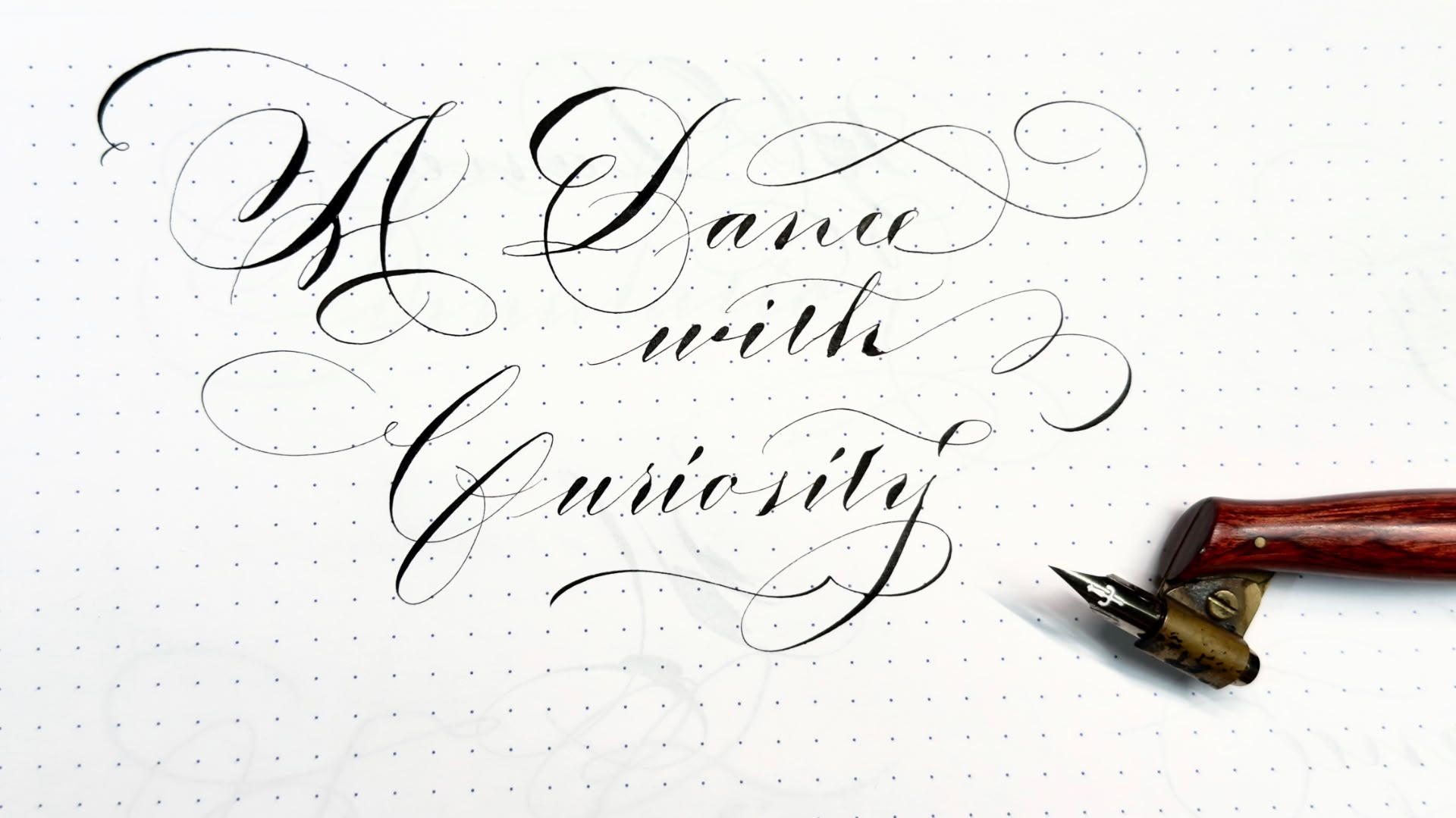
Hey guys, here’s a few things that have stood out from my previous week,
On Doing Great Work
I read this article that took me by surprise. I expected a quick read, but it ended up being quite a long piece packed with important ideas. Super inspiring. There’s so much in there that resonated with me. I’m always drawn to experiment, to chase ideas that may seem odd or even poinless, just to see where they might lead. I think it’s that openness to wandering off the path of my normal every day responsibilities, that has given me some of my favorite discoveries and have taken me in surprising directions. This article talks about that, it encourages us no to close ourselves off to possibilities.
The text also talks a lot about where original and good ideas come from, and how this is related to actually taking action on them. How sometimes part of the best done work involves taking time away from the desk. This connects a lot with things I’ve been listening in Cal Newport’s podcast and his Slow Productivity book, which (among other things) argues that productivity isn’t about constant effort bu about giving your mind space to breathe. There’s a lot of value in relaxing into your thoughts and letting your braing do its thing in the background.
Another thing I found very interesting was the idea of powerful tool being “unrestrictive.” Of course, I think there’s always limits, and limits are not necessarily a bad thing. But I do resonate with the idea that, when building tools, one should leave space for them to be used in unexpected ways. I see this a lot in my favorite apps—they the ones where the developer is open to experimentation, and the tool ends up growing beyond what anyone planned. It’s frustrating for me when I hear devs saying, “that’s not how you’re supposed to use it,” because for me, most times that’s where the magic happens and real excitement appears. So much of great work is truly bout creating something others can build on, or at least something that sparks new questions. Our best ideas can have a life beyond us, and that’s part of what makes creative work so exciting (at least for me).
Some of my favorite highlights
Curiosity is the key to all four steps in doing great work: it will choose the field for you, get you to the frontier, cause you to notice the gaps in it, and drive you to explore them. The whole process is a kind of dance with curiosity.
Don’t worry if you find you’re interested in different things than other people. The stranger your tastes in interestingness, the better. Strange tastes are often strong ones, and a strong taste for work means you’ll be productive. And you’re more likely to find new things if you’re looking where few have looked before.
Be professionally curious about a few topics and idly curious about many more.
In most cases the recipe for doing great work is simply: work hard on excitingly ambitious projects, and something good will come of it. Instead of making a plan and then executing it, you just try to preserve certain invariants.
The young have an advantage. They’re more optimistic, and even though one of the sources of their optimism is ignorance, in this case ignorance can sometimes beat knowledge.
Great work will often be tool-like in the sense of being something others build on. So it’s a good sign if you’re creating ideas that others could use, or exposing questions that others could answer. The best ideas have implications in many different areas.
Don’t try to work in a distinctive style. Just try to do the best job you can; you won’t be able to help doing it in a distinctive way.
On Macrowhisper
A few days ago I released a couple of updates to Macrowhisper and one of them has to do with how URLs get triggered. This is actually how I send results from my dictation over to Alter (as I showed in a recent video). With this update users can choose to trigger URLs in the background. This is a useful option to have aside from the default, which opens URLs and switches focus to whatever app handles the opening. That means that now Alter, or whatever other app you are triggering via URLs, can still grab whatever context you need from your current app, since you can choose not to be pulled away from what you’re working on. It’s very useful for automation.
One thing several users have asked now that there’s been a few updates to my app is… why are there multiple entries for Macrowhisper in the Accessibility permissions panel after each update? I finally set some time aside to do some research. The thing is that macOS ties permissions to the absolute file path, and every time Homebrew updates the app, it changes the path. It places the binary inside a folder named after the version number, so the system treats each version as a new app. You can remove the old/extra entries manually (with the minus - button in that same window), or, if you want to avoid this, install Macrowhisper using the script option instead of Homebrew.
On Prompting
Just this morning before writing this newsletter, I noticed Anthropic uploaded a video titled Prompting 101. I gave it a quick watch—most of it was familiar, but it still helped me lock in some key ideas. The video breaks down how to structure prompts to get the best results from AI, especially with Anthropic models. It covers a lot, but something that gets repeated and emphasized a lot is the importance on clarity and structure. The video also covers bit of XML prompting, which I’ve been a fan of for a while, especially for complex tasks. XML prompting lets you be explicit with instructions, which help avoid ambiguity.
A lot of new users jump into AI, get frustrated by “dumb” responses, and blame whatever app they’re using. I believe most of that frustration just comes down to not knowing how to prompt. It’s easy to underestimate how much of the “magic” in AI depends on how you ask. This video is a solid starting point and I’ve bookmarked i for future reference.
On Apps & Productivity Tools
Cotypist & AI Typing Assistants
I tried out Cotypist, which is similar to another app I tried a while back: Supercomplete. Both apps try to improve autocorrection and text prediction using AI. Cotypist definitely seems to be taking the lead here, it uses local models and has some context awareness features. I used it for a few days, but in the end, I couldn’t get used to it and had to uninstall. One comment I read from another user nailed how I feel if comparing this to dictation & normal typing: in a way, what these new apps offer, is the worse of both worlds. You end up with something that’s not as quick as dictation or as direct as normal typing. You’re forced to go slow, but unlike normal typing where slowing down helps the development of your thoughts, here the suggestions break your train of thought. At least that’s what happened to me. I can see this being really useful for people who handle lots of emails or don’t mind text that sounds a bit mechanical and AI. It may be useful for those that can’t live without AI dictation anymore.
In any case, if you want live AI guidance as you type, you can check it out. May work better for you than it did for m. For now, I’ll stick to my own workflow. I may revisit later if I see a better implementation.
Brilliant is Now Free
Big news for anyone who does video presentations, marks up screenshots, or needs quick annotation: Brilliant just went free. I paid for it a while back and definitely got my money’s worth. There was some discussion on Reddit about how this new business model and the app’s new direction. Personally I’m just a tiny bit worried about the plan of going cross-platform. Every single case where one of my favorite apps has attempted to go cross-platform, the original OS ends up getting less attention (or in the worse cases, it ends up loosing features in attempts to bring feature parity to other systems). So far, the developer has been on top of bug fixes and support, so I’m optimistic. As a matter of fact, Brilliant is one of those apps that I use every day and was just hoping for an affiliate program to open to start making some content about it. Oh well. The plan with making the app free seems to grow the user base and later add a platform with some sort of subscriptions for plugins or other assets—while all the main functionality remains free. If you want a solid markup tool, now’s your chance to grab it for free.
AutoRaise & Window Focus
Yabai’s window management is great, but its mouse autofocus/autoraise feature has been having a lot of issues for a while now. The idea of this feature simple is simple, when you move your mouse over a window, that window jumps to the front and gets focus. It sounds small, but once you get used to it, it’s a real productivity boost and reduces a lot of clicking around. Everything just follows the mouse, it just feels so much smoother.
Well, it’s supposed to make everything smoother, but it’s been annoying to have it randomly stop working every single day.
I tried a Hammerspoon script, but it ended up having more issues with some menubar apps. Eventually, I’ve landed on AutoRaise . It’s working much better for me. Still not perfect, but it’s closer to how this is supposed to work. You can actually use this even if you don’t have Yabai. Give it a shot to see if it improves your workflow.
On Music
I didn’t get as much time as I wanted this past week to play with the OP-1 synth, but I did pick up a composition ebook from Jameson Nathan Jones. It’s one of those guides where you have to give your email, which I’m usually not a fan of, but after watching a few of his YouTube videos, I found that the tips he gives are super practical and perfect for me. Man, I wish I had more music theory under my belt. My knowledge in this area really limits me, so I’m looking for ways to improve here. It’s just a bit demotivating because at times it feels like it’ll take years to see any sort of progress, and I’m not sure I have the same capacity to develop muscle memory as I did a few decades back—when I was a child taking violin classes. Anyway, I’m still looking around for easy-to-digest resources.
On Cinema
Look Back (2024). Beautiful and emotive anime. I really loved it. Synopsis: Popular, outgoing Fujino is celebrated by her classmates for her funny comics in the class newspaper. One day, her teacher asks her to share the space with Kyomoto, a truant recluse whose beautiful artwork sparks a competitive fervor in Fujino. What starts as jealousy transforms when Fujino realizes their shared passion for drawing.
Materialists (2025). I had high expectations after knowing this one was from the same director as Past Lives. I’d say that this one was not bad, but didn’t resonate with me to the same level as the previous film. I was on the verge of going the cheesy hollywood romance direction… but it didn’t. Still worth the watch. Synopsis: A young, ambitious New York City matchmaker finds herself torn between the perfect match and her imperfect ex.
Dangerous Animals (2025). Ah, suspenseful entertainment. Synopsis: A savvy and free-spirited surfer is abducted by a shark-obsessed serial killer. Held captive on his boat, she must figure out how to escape before he carries out a ritualistic feeding to the sharks below.
Midnight Mass (2021). I’ve been in a marathon of Mike Flanagan’s TV shows. This is the top one so far. Gave me a lot to think about. Synopsis: A young man returns to his isolated hometown on Crockett Island, hoping to rebuild his life after serving four years in prison for killing someone in a drunk-driving incident. He arrives at the same time as a mysterious, charismatic young priest who begins to revitalise the town’s flagging faith. However, the community’s divisions are soon exacerbated by the priest’s deeds while mysterious events befall the small town.

If you liked this you may also enjoy some content I have up on my YT Channel! I don’t hang around social media a lot, but when I do I’m on IG or Twitter. You can also check out some of my online classes, listen to my music, or in case you haven’t already, subscribe to my weekly newsletter. Thank you for reading!